Friends in the crowd optional · 0/3
- ✓ One person per photo, facing the camera, close up
- ✗ No group shots, side views or sunglasses
AI results vary. A friend may look a bit different, merge with a lookalike, or not appear.
+ More optionsBeta
Scene optional
Leave empty for the original chandelier party room, or add a photo of a place. The moves and camera stay the same.
AI results vary between runs. If a video fails, your credits come back automatically.
Start creating with
Burning Bridges AI Video Generator
Join the chandelier party scene with up to 3 friends.
What is the Burning Bridges AI video generator?
The Burning Bridges AI video generator turns one photo into your own version of the Burning Bridges AI trend. The trend comes from the party scene in Drake's Burning Bridges music video: a warm room full of crystal chandeliers, a packed crowd, a silver cocktail shaker and a handheld camera that follows the lead through the famous "Where she at?" moment.
On TikTok and Instagram Reels, people put themselves and their friends into that scene. Doing it yourself means finding the clip, writing prompts for an AI video app and retrying until the moves line up. This generator does it from a single photo: you upload, the AI recreates the party around your subject, and you download a landscape video in the same 16:9 shape as the original clip.
It does one thing: put you, or a friend who agreed, into the Burning Bridges party.
Burning Bridges AI video examples
One photo is all you need. Add friends to the crowd or swap the room if you want more.
How to make a Burning Bridges AI video
Three steps with the Burning Bridges AI video generator. No editing app, no reference video, no prompt.
- 1
Upload one photo
Use a clear photo where the face is fully visible: yourself, or a friend who said yes. One photo is enough.
- 2
The AI builds the party
It recreates the chandelier-lit room, the crowd and the handheld camera moves around your subject. You do not write a prompt.
- 3
Download and post
Watch the preview, then download a 15-second or full 28-second 16:9 MP4 with no music. Add the Burning Bridges sound in TikTok or Instagram when you post.
The Burning Bridges AI video, second by second
Every video follows the same moves as the original party scene. Your face and outfit change; the timing stays.
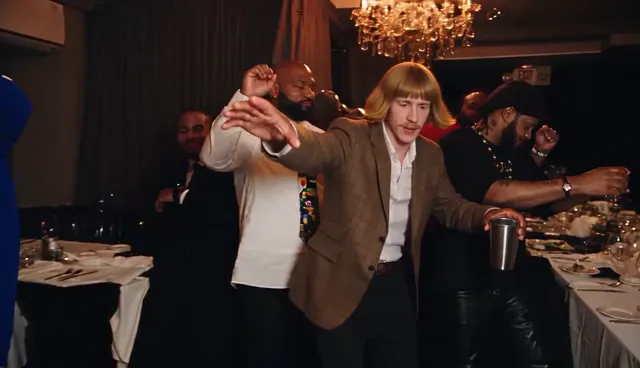
0-2 s
The walk-in
You walk into the chandelier room with one arm out and a silver cup in your hand. The crowd parts around you.
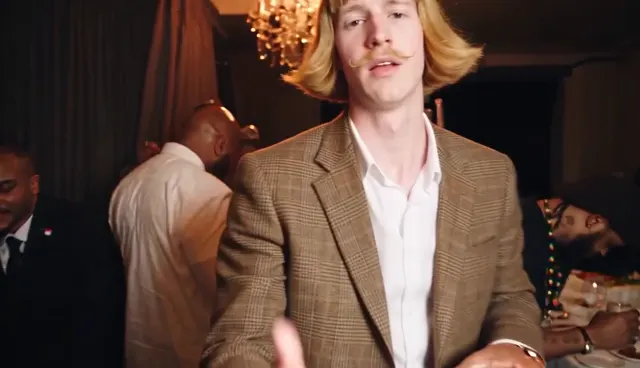
2-3.5 s
The close-up
The camera rushes in. You flick your hand at the lens and mouth the line. This is the frame most people screenshot.
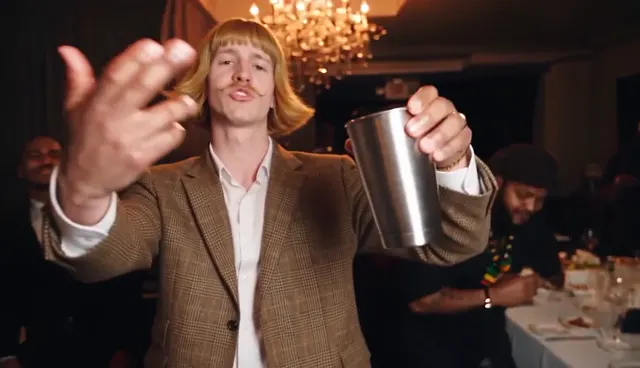
4-5.5 s
Cup to the camera
You raise the silver cup straight at the viewer, like a toast to whoever is watching.
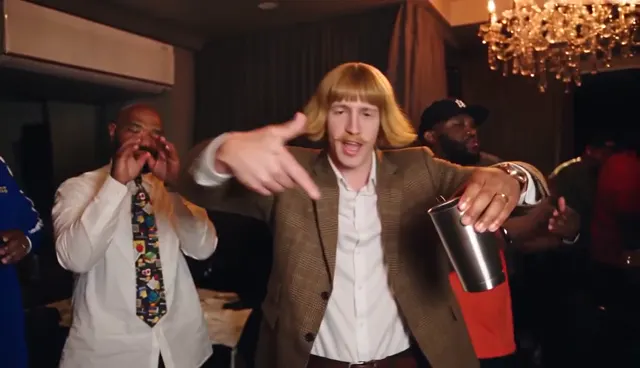
6-8.5 s
Point and bounce
A loose point-and-bounce to the beat while the crowd dances behind you.
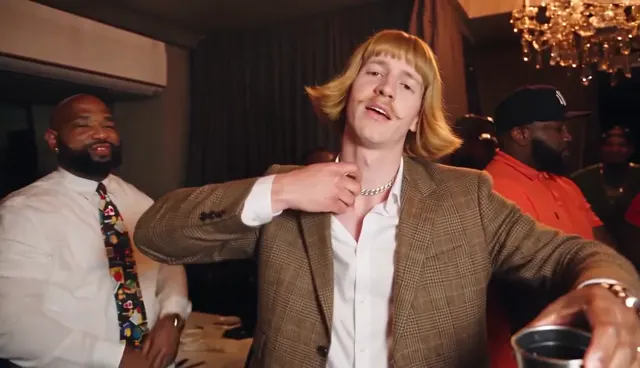
9-10 s
Hand on the collar
Hand to the chest, chin up. The smug moment that makes the trend funny with any face.
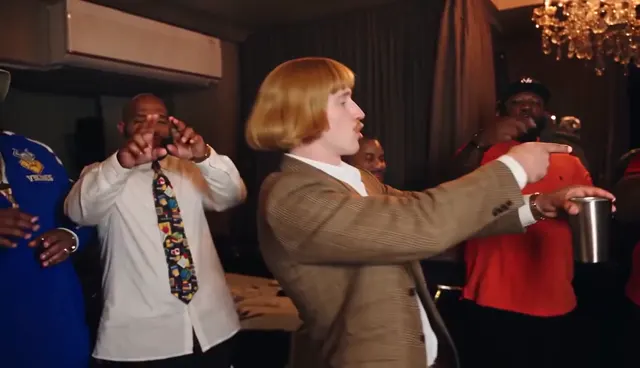
10.5-12 s
Turn to the friends
You turn and point at the people around you. If you added friend photos, this is where they show up.
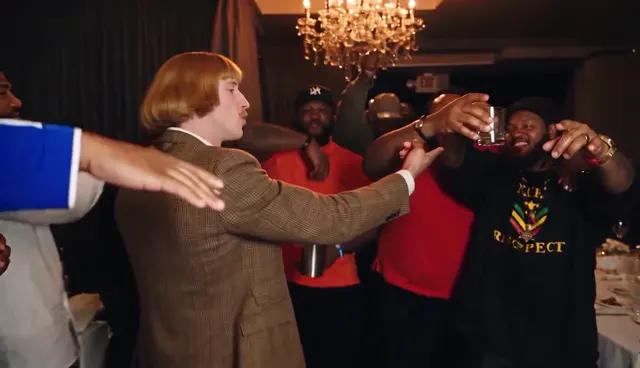
12-15 s
Everyone leans in
The crowd closes in, cups go up, and the 15-second cut ends. The full 28-second version keeps the party going.
Which photo works best for a Burning Bridges AI video?
The AI copies the face, hair and outfit from your photo. A clear photo gives a face that looks like you all the way through. The same rules apply to every friend photo: one person per photo, close up.
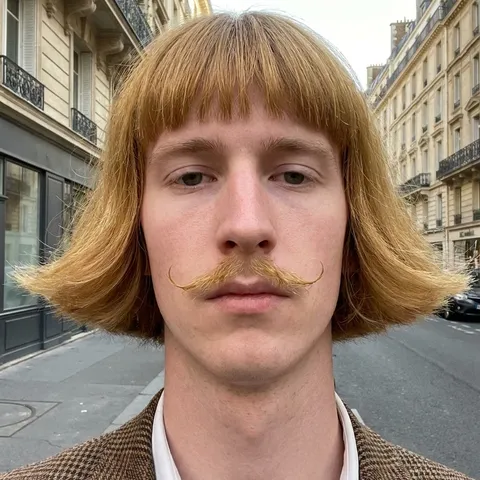
Works well
- One person, facing the camera
- Face sharp and fully visible
- Even light, no heavy filters
- Head and shoulders, or waist up
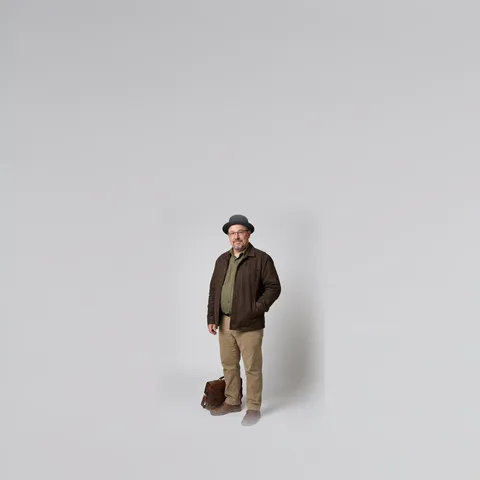
Face too small
The AI has too few pixels of your face to copy.
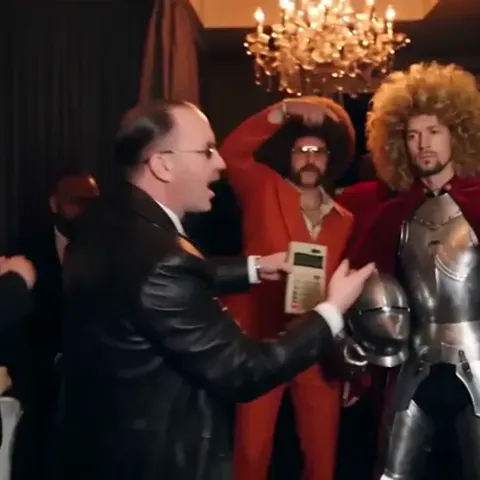
Group photo
It cannot tell which face is yours. Add friends separately.
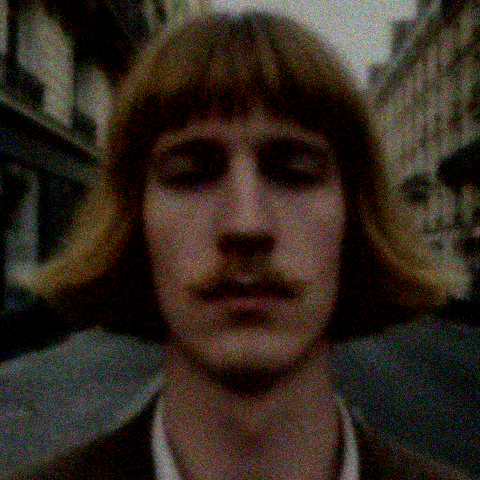
Too dark or blurry
Shadows, blur and filters end up in the video face.
Put your friends in the crowd, or move the party
Under More options you can add up to three friend photos. Each photo replaces one person in the crowd, in the order you upload them, so your group chat ends up dancing behind you.
You can also add a photo of a place. The camera moves and the choreography stay the same, and the room takes on the look of your photo: a 1920s pub, a lab, an office, your favorite bar.
Extra photos do not cost extra credits. Friend photos replace people who are already in the crowd; they do not add extra guests. With several people on screen, the AI can mix faces or change how someone looks as the camera moves, so friends may only partly resemble their photos. Clear, front-facing pictures help but do not guarantee a match. Only upload people who said yes.
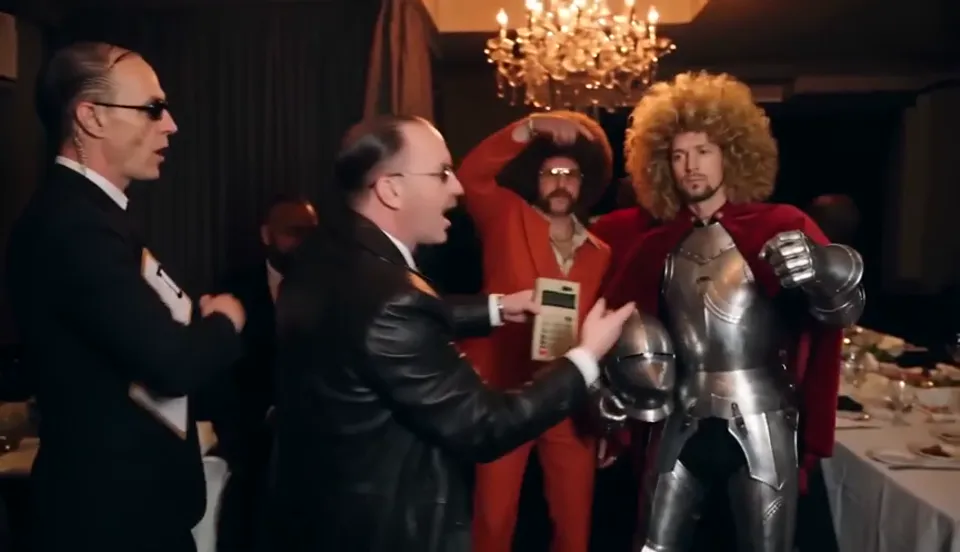
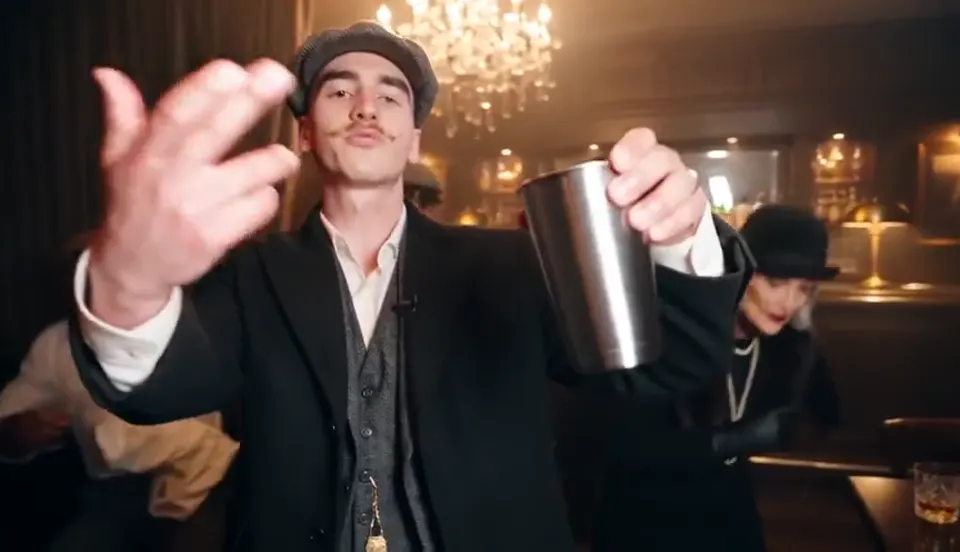
Burning Bridges AI character ideas
The trend gets funnier when the person in the lead does not belong at a Drake party. Dress up for the photo, or try one of these looks.
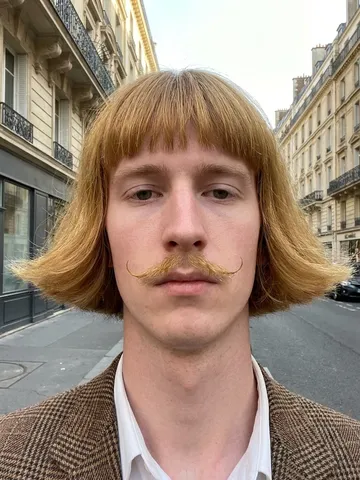
Bowl cut and blazer
The classic: a serious face, a bad haircut, full confidence.
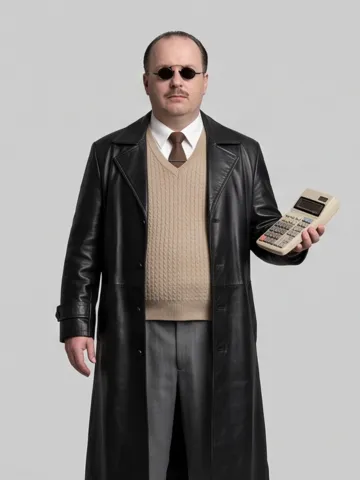
Retro office hacker
Leather coat, sweater vest, a calculator instead of a cup.
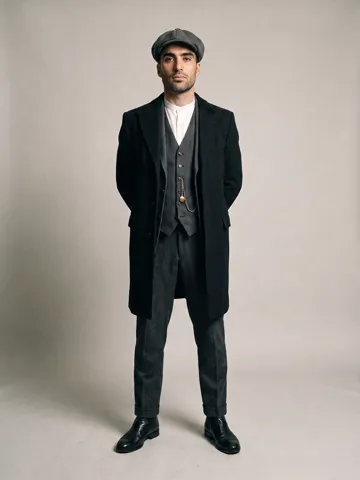
1920s gang boss
Flat cap, three-piece suit, long coat. Pair it with the pub scene.
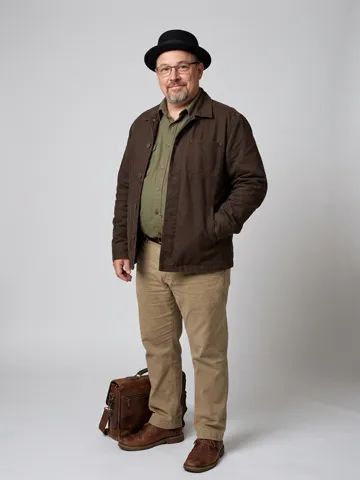
Chemistry teacher
Pork-pie hat, glasses, work jacket. Bring two friends as the crew.
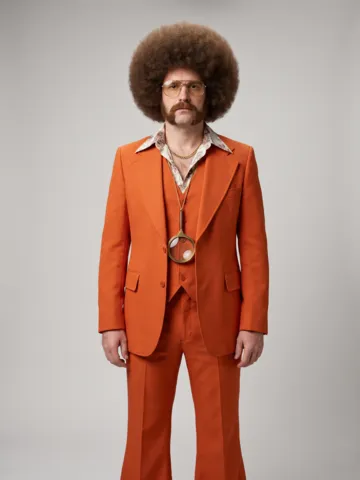
70s disco detective
Orange suit, big hair, gold medallion.
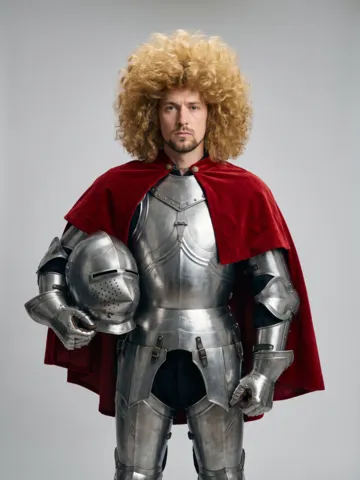
Knight off duty
Full armor and a red cape at an afterparty.
All examples here are original AI characters. Upload yourself or a friend who agreed. Do not upload photos of celebrities.
Burning Bridges AI video generator vs doing it yourself
You can try the trend in a general AI video app. Here is what that takes, compared with one photo here.
This generator
- What you do
- Upload one photo
- Prompt
- None
- Moves and lip sync
- Locked to the original party scene
- The original clip
- Not needed, we handle the reference
- Friends and a new room
- Up to 3 friends plus a scene photo, no extra cost
- Price
- From $9.99, packs or monthly plans
A general AI video app
- What you do
- Find the clip, upload it as a reference, write a prompt, retry until it matches
- Prompt
- You write and tune it yourself
- Moves and lip sync
- Often drift unless the prompt is very specific
- The original clip
- Many apps reject reference videos that show real people
- Friends and a new room
- Depends on the app
- Price
- Usually a subscription, and every retry uses credits
ZapVid pricing
Subscribe for the best price per video, or buy credits once. Credits work on every template, and most videos use 100.
Checkout opens soon. Prices are final.
Plans
Best price per video. New trends every week. Cancel anytime.
Starter
$15.99/month
Billed $191.88 yearly
300 credits a month (about 3 videos)
- Works on every template
- New trends every week
- Unused credits reset each month
- Cancel anytime, keep it until the period ends
Pro
$31.99/month
Billed $383.88 yearly
700 credits a month (about 7 videos)
- Works on every template
- New trends every week
- Unused credits reset each month
- Cancel anytime, keep it until the period ends
Studio
$63.99/month
Billed $767.88 yearly
1,500 credits a month (about 15 videos)
- Works on every template
- New trends every week
- Unused credits reset each month
- Cancel anytime, keep it until the period ends
One-time credit packs
Pay once, no renewal. Pack credits never expire.
100 credits
$9.99
One-time, about 1 video
300 credits
$24.99
One-time, about 3 videos
900 credits
$59.99
One-time, about 9 videos
3,300 credits
$199.99
One-time, about 33 videos
Where the Burning Bridges AI trend comes from
Drake released the Burning Bridges music video on May 15, 2026. About two and a half minutes in, the video cuts to a party in a dark room lit by crystal chandeliers: Drake walks through a packed crowd with a silver cup, plays to the handheld camera, and the room reacts around him.
In late September 2026, people started using AI video tools to replace Drake in that party scene with themselves, their friends and all kinds of characters. The clips spread on TikTok, Instagram Reels and X under the name Burning Bridges AI.
This site makes that edit from one photo. Our example videos use original AI characters and real people who agreed to appear, never Drake or other celebrities.
May 15, 2026
Drake releases the Burning Bridges music video
~2:37 to 3:06
The chandelier party scene the trend copies
Late Sept 2026
Burning Bridges AI edits take off on TikTok and Reels
Frequently asked questions
The questions people ask before making their video
Your turn in the party
One photo, a few minutes, and you are in the party everyone is posting.
Create my videoZapVid is an independent fan tool. It is not affiliated with, endorsed by or sponsored by Drake, his record labels or any other rights holder. The song and music video "Burning Bridges" belong to their rights holders; this site does not play or distribute the song. Every video is AI-generated, not real footage; label it as AI when you post. Copyright or likeness complaints: contact@zapvid.ai.